
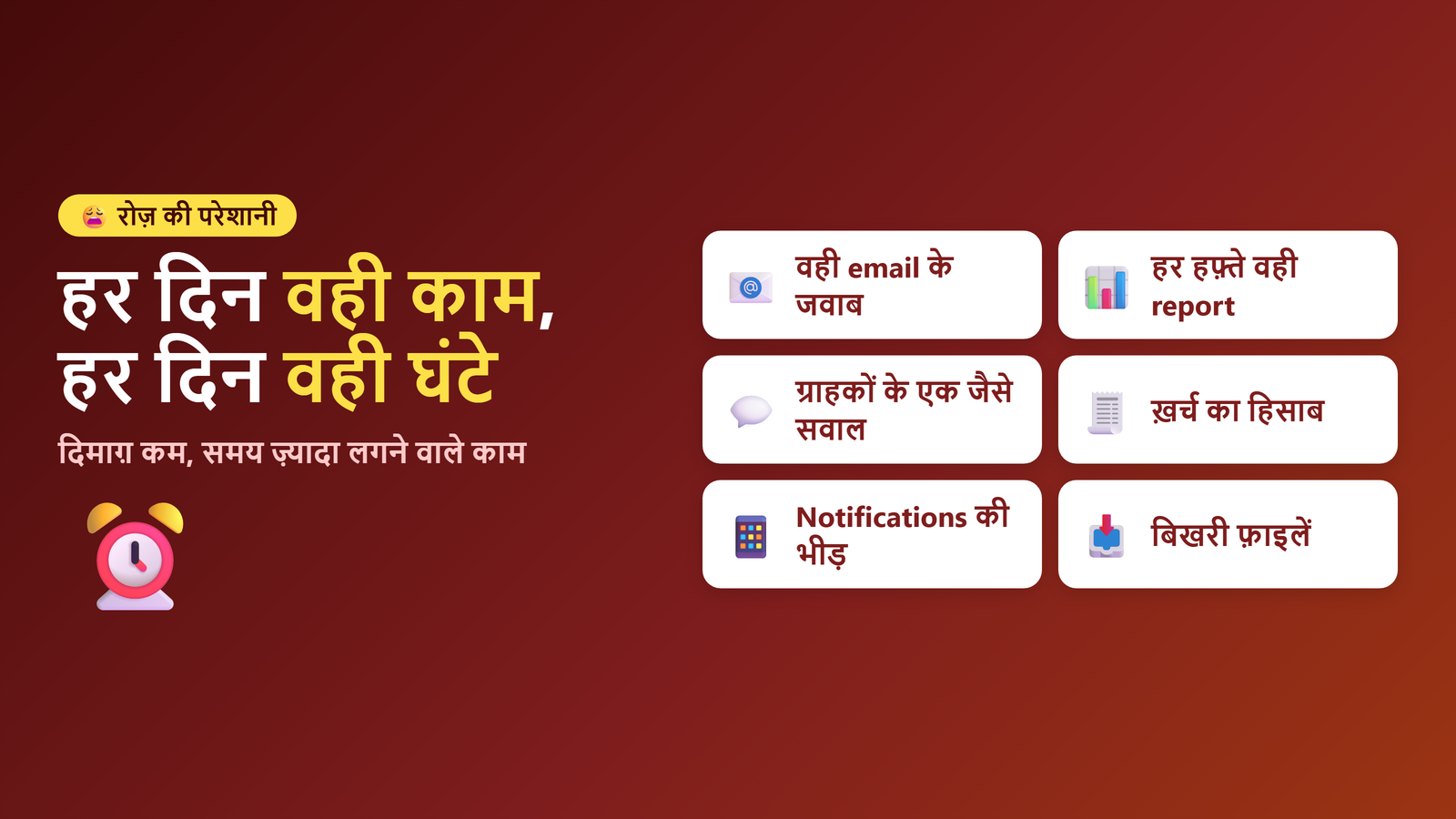
सुबह से रात तक हम कितने ऐसे काम करते हैं जो हर दिन एक जैसे होते हैं? वही email के जवाब, वही Excel report, वही WhatsApp संदेश, महीने के अंत में ख़र्च का हिसाब। ये काम ज़रूरी हैं, पर इनमें दिमाग़ कम और समय ज़्यादा लगता है।


अच्छी बात यह है कि आज ChatGPT जैसे AI से आप इनका पूरा automation plan मिनटों में बनवा सकते हैं: कौन-सा tool, कौन-सा formula, कौन-सा template, कौन-सी script। बस सही सवाल पूछना आना चाहिए। इसी के लिए नीचे 21 तैयार prompts हैं, English और हिंदी दोनों में।
📋 Prompt copy करने के 2 आसान तरीके
① हर prompt के नीचे 📋 Copy करें / भरें दबाइए: छोटा Copy पेज खुलेगा, पीली [ ] वाली जगह अपनी जानकारी भरिए और एक click में copy कीजिए। वहाँ सारे 21 prompt एक साथ copy करने का बटन भी है।
② 🚀 ChatGPT में खोलें दबाइए: prompt सीधे ChatGPT में पहुँच जाएगा और जवाब हिंदी में आएगा। जानकारी कम होगी तो ChatGPT ख़ुद आपसे पूछ लेगा।
🧠 अच्छे prompt का 5-भाग फ़ॉर्मूला
नीचे के सभी prompts इसी ढाँचे पर बने हैं। आप अपना कोई भी नया prompt इसी तरह लिख सकते हैं:
| भाग | क्या लिखें | उदाहरण |
|---|---|---|
| 1. 🎭 भूमिका | ChatGPT को किस विशेषज्ञ की तरह सोचना है | Act as a productivity expert |
| 2. 🧾 आपकी जानकारी | आपका काम, आपके tools, आपकी मुश्किल | मैं बीमा सलाहकार हूँ, Excel में due सूची बनाता हूँ |
| 3. 🎯 काम | साफ़ और गिनती वाले निर्देश: 1), 2), 3) | Top 3 automation के कदम दीजिए |
| 4. 📐 जवाब का रूप | Table, checklist, कदम, code, template | Show the answer as a table |
| 5. ❓ पहले सवाल | जानकारी कम हो तो ChatGPT पहले पूछे | Ask me questions one at a time |
सबसे काम की चीज़ है 5वाँ भाग: "जानकारी कम हो तो पहले सवाल पूछो।" इससे ChatGPT अंदाज़ा लगाकर आम जवाब नहीं देता, बल्कि आपकी असली स्थिति समझकर जवाब देता है।

⏰ दिनचर्या, समय और काम की प्राथमिकता (prompt 1–5)
1. ⚙️ रोज़ की दिनचर्या को automate करें
Automate My Daily Routine · कब काम आएगा: सुबह से रात तक के काम लिख दीजिए। ChatGPT बताएगा कि कौन-सा काम मशीन कर सकती है और उसे कैसे सेट करें।
| 📝 PROMPT (English) — Copy करके ChatGPT में paste कीजिए Act as a productivity and automation expert. My work/profession: [your work]. My daily routine with approximate time for each task: [your daily tasks with time]. 1) Mark which tasks are repetitive and can be fully or partly automated. 2) For each, suggest a free or low-cost tool (Google Sheets, Google Forms, Gmail, Notion, Zapier, Make, phone shortcuts, ChatGPT). 3) Give a step-by-step setup for the top 3 automations that will save the most time. 4) Estimate the time saved per week. Show the answer as a table. |
| 🗣️ यही prompt हिंदी में आप productivity और automation के विशेषज्ञ हैं। मेरा काम/पेशा: [आपका काम]। मेरी रोज़ की दिनचर्या, हर काम के लगभग समय के साथ: [रोज़ के काम और समय]। 1) बताइए कौन-से काम दोहराव वाले हैं और पूरे या आधे automate हो सकते हैं। 2) हर काम के लिए मुफ़्त या सस्ता tool सुझाइए (Google Sheets, Google Forms, Gmail, Notion, Zapier, Make, phone shortcuts, ChatGPT)। 3) सबसे ज़्यादा समय बचाने वाले 3 automation का कदम-दर-कदम setup दीजिए। 4) हफ़्ते में कितना समय बचेगा, इसका अनुमान बताइए। जवाब table में दीजिए। |
✍️ ऐसे भरें: [your daily tasks with time] में: 7–8 बजे ग्राहकों को जन्मदिन संदेश, 11–12 बजे Excel में premium due सूची, शाम को दिन का हिसाब।
📋 Copy करें / भरें 🚀 ChatGPT में खोलें
2. 🗂️ कामों की प्राथमिकता अपने-आप तय करें
Task Prioritization Engine · कब काम आएगा: काम बहुत हैं और समझ नहीं आता पहले क्या करें? यह prompt हर काम को 'अभी करें / बाद में / किसी और से / छोड़ दें' में बाँट देता है।
| 📝 PROMPT (English) — Copy करके ChatGPT में paste कीजिए Here are my tasks for this week with deadlines: [your tasks with deadlines]. Build a prioritization system using urgency, importance (Eisenhower matrix) and deadlines. Give: 1) my list sorted into Do now / Schedule / Delegate / Drop, with a one-line reason for each, 2) a simple Google Sheets template with a scoring formula, so that next time I just paste my tasks and the order comes automatically. |
| 🗣️ यही prompt हिंदी में इस हफ़्ते के मेरे काम, आख़िरी तारीख़ के साथ: [आपके काम और तारीख़]। ज़रूरी-पन (urgency), महत्व (Eisenhower matrix) और deadline के आधार पर प्राथमिकता तय करने का system बनाइए। दीजिए: 1) मेरी सूची चार हिस्सों में: अभी करें / समय तय करें / किसी और को सौंपें / छोड़ दें, हर काम के साथ एक लाइन का कारण, 2) score वाले formula के साथ एक आसान Google Sheets template, ताकि अगली बार काम paste करते ही क्रम अपने-आप बन जाए। |
✍️ ऐसे भरें: [your tasks with deadlines] में: GST return (20 तारीख़), 3 ग्राहकों को call (आज), नया poster (शुक्रवार), बैंक जाना (कल)।
📋 Copy करें / भरें 🚀 ChatGPT में खोलें
3. 📅 अपने-आप बदलने वाला Smart Calendar
Smart Calendar Planner · कब काम आएगा: कोई काम देर से हुआ या बीच में नया ज़रूरी काम आ गया, तो पूरा दिन बिगड़ता है। यह prompt ऐसा time-table बनाता है जो ख़ुद को सँभाल ले।
| 📝 PROMPT (English) — Copy करके ChatGPT में paste कीजिए My goals: [your goals]. Fixed commitments: [fixed commitments like office hours, meals, family time]. Tasks with estimated time: [tasks and time needed]. Create a time-blocked daily schedule with buffer time. Also give clear rules for how the schedule should adjust if a task gets delayed or a new urgent task comes in (what moves first, what never moves). Format it so I can add the blocks to Google Calendar. |
| 🗣️ यही prompt हिंदी में मेरे लक्ष्य: [आपके लक्ष्य]। पक्के काम: [दफ़्तर का समय, खाना, परिवार का समय]। काम और उनका अनुमानित समय: [काम और समय]। बीच में ख़ाली (buffer) समय रखते हुए घंटे-दर-घंटे का time-table बनाइए। साथ में साफ़ नियम दीजिए कि कोई काम देर से हो या नया ज़रूरी काम आ जाए तो time-table कैसे बदलेगा (पहले क्या खिसकेगा, क्या कभी नहीं खिसकेगा)। ऐसे लिखिए कि मैं इन्हें Google Calendar में डाल सकूँ। |
✍️ ऐसे भरें: [fixed commitments] में: 10–6 दफ़्तर, 1–2 खाना, रात 8–9 परिवार। [your goals] में: रोज़ 1 घंटा पढ़ाई, हफ़्ते में 3 नए ग्राहक।
📋 Copy करें / भरें 🚀 ChatGPT में खोलें
4. 🔁 बार-बार होने वाले काम ख़त्म करें
Repetitive Work Eliminator · कब काम आएगा: एक ही message बार-बार type करना, वही Excel रोज़ बनाना... ऐसे कामों का shortcut, template या script यह prompt निकालता है।
| 📝 PROMPT (English) — Copy करके ChatGPT में paste कीजिए I repeat these tasks again and again: [tasks you repeat]. For each, tell me whether to Automate, Simplify, Make a template, or Delegate it. Suggest the exact method: keyboard shortcut, text expander, Excel macro or formula, phone shortcut, script or AI tool, with setup steps. Start with the ones that save the most time. |
| 🗣️ यही prompt हिंदी में ये काम मुझे बार-बार करने पड़ते हैं: [बार-बार होने वाले काम]। हर काम के लिए बताइए: automate करें, आसान बनाएँ, template बनाएँ या किसी और को सौंपें। सटीक तरीका बताइए: keyboard shortcut, text expander, Excel macro या formula, phone shortcut, script या AI tool, setup के कदमों के साथ। सबसे ज़्यादा समय बचाने वाले काम से शुरू कीजिए। |
✍️ ऐसे भरें: [tasks you repeat] में: हर ग्राहक को एक जैसा quotation भेजना, रोज़ 20 नंबर save करना, हर महीने वही रिपोर्ट।
📋 Copy करें / भरें 🚀 ChatGPT में खोलें
5. 📋 हफ़्ते का हिसाब अपने-आप (Weekly Review)
Weekly Review Automation · कब काम आएगा: शुक्रवार को 2 मिनट में पता चले कि हफ़्ते में क्या किया, क्या बाकी है और अगले हफ़्ते क्या ज़रूरी है।
| 📝 PROMPT (English) — Copy करके ChatGPT में paste कीजिए Design a weekly review system for me. My work: [your work]. Every Friday I want a summary of: work done, achievements, pending tasks, lessons learned and the top 3 priorities for next week. Give: 1) a 2-minute daily log template (Google Form questions or a notes format), 2) a ready prompt I can paste every Friday along with my week's log to get this summary automatically, 3) a simple way to keep all weekly summaries in one Google Sheet. |
| 🗣️ यही prompt हिंदी में मेरे लिए हफ़्ते की समीक्षा (weekly review) का system बनाइए। मेरा काम: [आपका काम]। हर शुक्रवार मुझे यह सार चाहिए: क्या काम हुआ, क्या उपलब्धि रही, क्या बाकी है, क्या सीखा और अगले हफ़्ते की 3 सबसे ज़रूरी बातें। दीजिए: 1) रोज़ 2 मिनट वाला log template (Google Form के सवाल या notes का ढाँचा), 2) एक तैयार prompt जिसे मैं हर शुक्रवार हफ़्ते के log के साथ paste करूँ और सार अपने-आप बने, 3) सभी हफ़्तों का सार एक Google Sheet में रखने का आसान तरीका। |
✍️ ऐसे भरें: [your work] में: बीमा सलाहकार / दुकान / teacher। रोज़ शाम का 2 मिनट वाला log Google Form में भरिए, शुक्रवार को prompt के साथ paste कीजिए।
📋 Copy करें / भरें 🚀 ChatGPT में खोलें
📧 Email, फ़ाइलें और notifications (prompt 6–8)
6. 📧 Email का पूरा automation system
Email Automation System · कब काम आएगा: Inbox हमेशा भरा रहता है? Gmail के filter, label, तैयार जवाब (templates) और auto-reply का पूरा ढाँचा मिलेगा।
| 📝 PROMPT (English) — Copy करके ChatGPT में paste कीजिए I get these types of emails every day: [types of emails you get]. Design an email system for Gmail: 1) filters and labels for each type, with the exact filter rules, 2) five ready reply templates for my most common emails, 3) which emails can get an auto-reply and its text, 4) a 10-minute daily routine to keep my inbox under control. |
| 🗣️ यही prompt हिंदी में मुझे रोज़ इस तरह के email आते हैं: [किस तरह के email आते हैं]। Gmail के लिए email system बनाइए: 1) हर तरह के लिए filter और label, filter के सटीक नियम के साथ, 2) सबसे आम email के लिए 5 तैयार जवाब (templates), 3) किन email पर auto-reply जा सकता है और उसका text, 4) inbox को काबू में रखने का रोज़ का 10 मिनट वाला तरीका। |
✍️ ऐसे भरें: [types of emails you get] में: ग्राहकों के सवाल, बिजली/फ़ोन के bill, बैंक alerts, newsletters, नौकरी के आवेदन।
📋 Copy करें / भरें 🚀 ChatGPT में खोलें
7. 📥 फ़ाइलें अपने-आप सही folder में
File Organization Automation · कब काम आएगा: Downloads और Desktop फ़ाइलों से भरे हैं? folder का ढाँचा, नाम रखने का नियम और फ़ाइलें अपने-आप सरकाने वाली script मिलेगी।
| 📝 PROMPT (English) — Copy करके ChatGPT में paste कीजिए My files are messy on [where your files are, e.g. Windows laptop / Google Drive / phone]. Types of files: [types of files]. Create a folder structure and a file-naming rule (by type, date and client). Then give a way to organise them automatically: a [PowerShell / Python] script with comments that moves files from my Downloads folder into the right folders. It must never delete anything and must first run in a test mode that only shows what it would move. Also show how to run it daily with Windows Task Scheduler. |
| 🗣️ यही prompt हिंदी में मेरी फ़ाइलें [फ़ाइलें कहाँ हैं, जैसे Windows laptop / Google Drive / phone] में बिखरी पड़ी हैं। फ़ाइलों के प्रकार: [फ़ाइलों के प्रकार]। प्रकार, तारीख़ और ग्राहक के हिसाब से folder का ढाँचा और फ़ाइल का नाम रखने का नियम बनाइए। फिर इन्हें अपने-आप जमाने का तरीका दीजिए: comments वाली एक [PowerShell / Python] script जो Downloads folder की फ़ाइलें सही folder में ले जाए। वह कभी कुछ delete न करे और पहले test mode में चले, जिसमें सिर्फ़ दिखाए कि क्या कहाँ जाएगा। साथ में Windows Task Scheduler से इसे रोज़ चलाने का तरीका बताइए। |
✍️ ऐसे भरें: [where your files are] में: Windows laptop का Downloads folder। [types of files] में: bill/invoice, फ़ोटो, ग्राहकों के KYC, PDF notes।
📋 Copy करें / भरें 🚀 ChatGPT में खोलें
8. 📱 Notifications की भीड़ से छुटकारा
Notification Optimization · कब काम आएगा: हर 2 मिनट में फ़ोन बजता है? सिर्फ़ ज़रूरी alert आएँ, बाकी तय समय पर एक साथ देखें, ऐसा system बनेगा।
| 📝 PROMPT (English) — Copy करके ChatGPT में paste कीजिए I get too many notifications on my [your device: Android / iPhone / Windows] from these apps: [apps that disturb you]. Create a system: which apps get full, silent or no notifications, Focus / Do Not Disturb schedules, VIP contacts who can always reach me, mute rules for WhatsApp groups and email, and fixed times in the day to check messages in batches. Give exact steps for my device. |
| 🗣️ यही prompt हिंदी में मेरे [आपका device: Android / iPhone / Windows] पर इन apps के बहुत notifications आते हैं: [परेशान करने वाले apps]। एक system बनाइए: किस app के पूरे, किसके चुपचाप और किसके बिल्कुल नहीं, Focus / Do Not Disturb का समय, कौन-से ख़ास (VIP) लोग हमेशा पहुँच सकें, WhatsApp groups और email को mute करने के नियम, और दिन में तय समय जब सारे संदेश एक साथ देखूँ। मेरे device के लिए सटीक कदम बताइए। |
✍️ ऐसे भरें: [your device] में: Android फ़ोन + Windows laptop। [apps] में: WhatsApp (40 groups), Instagram, Gmail, बैंक app, YouTube।
📋 Copy करें / भरें 🚀 ChatGPT में खोलें
📊 डेटा, रिपोर्ट और पैसे का हिसाब (prompt 9–11)
9. 📈 Report अपने-आप बने (Auto Reporting)
Auto Reporting Workflow · कब काम आएगा: हर हफ़्ते/महीने वही report हाथ से बनाते हैं? डेटा लाना, साफ़ करना और chart बनाना अपने-आप होगा।
| 📝 PROMPT (English) — Copy करके ChatGPT में paste कीजिए I make a [daily / weekly / monthly] report in [tool: Excel / Google Sheets / Power BI]. The data comes from: [data sources]. The report shows: [what the report shows]. Design an automated workflow that fetches the data, cleans it and updates the charts with minimal manual work. Give the formulas and steps, and where a script helps (Google Apps Script or Power Query), give the code with comments. |
| 🗣️ यही prompt हिंदी में मैं [रोज़ / हफ़्ते / महीने] की एक report [tool: Excel / Google Sheets / Power BI] में बनाता हूँ। डेटा यहाँ से आता है: [डेटा कहाँ से आता है]। Report में दिखता है: [report में क्या दिखता है]। ऐसा automated तरीका बनाइए जो डेटा लाए, उसे साफ़ करे और chart अपने-आप update करे, कम से कम हाथ के काम के साथ। formula और कदम दीजिए, और जहाँ script काम आए (Google Apps Script या Power Query), वहाँ comments वाला code दीजिए। |
✍️ ऐसे भरें: [tool] में: Google Sheets। [data sources] में: रोज़ की बिक्री की Excel फ़ाइल + Google Form से आए order। [what the report shows] में: महीने की बिक्री, सबसे ज़्यादा बिकने वाले 5 सामान।
📋 Copy करें / भरें 🚀 ChatGPT में खोलें
10. ⌨️ Data entry से छुटकारा
Data Entry Automation · कब काम आएगा: काग़ज़ के form, WhatsApp संदेश या PDF से डेटा हाथ से भरते हैं? Form, OCR, import या integration से यह काम अपने-आप होगा।
| 📝 PROMPT (English) — Copy करके ChatGPT में paste कीजिए I manually enter data from [source, e.g. paper forms / WhatsApp messages / PDFs] into [tool/system, e.g. Excel / Tally / Google Sheets]. About [entries per day] entries per day. Suggest ways to automate this: Google Forms, OCR (photo to text), file import, APIs or Zapier/Make integrations. Give a step-by-step setup for the best option for me, and a simple way to check for mistakes. |
| 🗣️ यही prompt हिंदी में मैं [डेटा कहाँ से आता है, जैसे काग़ज़ के form / WhatsApp संदेश / PDF] से डेटा हाथ से [tool, जैसे Excel / Tally / Google Sheets] में भरता हूँ। रोज़ लगभग [रोज़ की entries] entries। इसे automate करने के तरीके बताइए: Google Forms, OCR (फ़ोटो से text), फ़ाइल import, API या Zapier/Make integration। मेरे लिए सबसे अच्छे तरीके का कदम-दर-कदम setup दीजिए, और ग़लतियाँ पकड़ने का आसान तरीका भी। |
✍️ ऐसे भरें: [source] में: ग्राहकों के WhatsApp पर भेजे नाम-पता-नंबर। [tool/system] में: Google Sheets। [entries per day] में: 30।
📋 Copy करें / भरें 🚀 ChatGPT में खोलें
11. 🧾 ख़र्च का हिसाब अपने-आप
Expense Tracking Automation · कब काम आएगा: महीने के अंत में पता नहीं चलता पैसा कहाँ गया? कम से कम मेहनत में ख़र्च दर्ज करने, श्रेणी बनाने और budget alert का system।
| 📝 PROMPT (English) — Copy करके ChatGPT में paste कीजिए I want to track my [personal / business] expenses automatically. I mostly pay through [how you pay: UPI / card / cash]. My monthly budget by category: [monthly budget]. Design a system with minimum manual input: expense categories, a Google Sheets setup with formulas, how to import my bank statement (downloaded CSV/Excel), a 1-tap way to add cash expenses, a monthly summary with charts, and an alert when a category crosses its budget. Do not ask for my bank login, passwords or OTPs. |
| 🗣️ यही prompt हिंदी में मैं अपने [घर / business] के ख़र्च का हिसाब अपने-आप रखना चाहता हूँ। ज़्यादातर भुगतान [कैसे करते हैं: UPI / card / नकद] से होता है। श्रेणी के हिसाब से महीने का budget: [महीने का budget]। कम से कम हाथ के काम वाला system बनाइए: ख़र्च की श्रेणियाँ, formulas वाला Google Sheets setup, bank statement (download की हुई CSV/Excel) import करने का तरीका, नकद ख़र्च एक tap में जोड़ने का तरीका, chart के साथ महीने का सार, और कोई श्रेणी budget पार करे तो alert। मेरा bank login, password या OTP मत माँगिए। |
✍️ ऐसे भरें: [personal / business] में: घर का ख़र्च। [how you pay] में: ज़्यादातर UPI, कुछ नकद। [monthly budget] में: राशन ₹8,000, बाहर खाना ₹2,000।
📋 Copy करें / भरें 🚀 ChatGPT में खोलें

💼 Business, social media और ग्राहक (prompt 12–16)
12. 💬 Social media के 30 दिन, एक बार में
Social Media Automation · कब काम आएगा: रोज़ सोचना कि आज क्या post करें? पूरे महीने की योजना, caption, hashtags और schedule करने का तरीका एक साथ।
| 📝 PROMPT (English) — Copy करके ChatGPT में paste कीजिए I manage social media for [business/brand] on [platforms]. My audience: [audience]. Create a 30-day content plan as a table: date, platform, post type (reel / carousel / story), topic, hook line, caption, hashtags and best time to post. Mix education, offers, behind-the-scenes and customer stories. Then tell me how to schedule all the posts in advance using free tools such as Meta Business Suite. |
| 🗣️ यही prompt हिंदी में मैं [business/brand] का social media [platforms] पर सँभालता हूँ। मेरे दर्शक: [दर्शक कौन हैं]। 30 दिन की content योजना table में बनाइए: तारीख़, platform, post का प्रकार (reel / carousel / story), विषय, hook लाइन, caption, hashtags और post करने का सबसे अच्छा समय। जानकारी, offer, पर्दे के पीछे की झलक और ग्राहकों की कहानियाँ मिलाकर रखिए। फिर बताइए कि Meta Business Suite जैसे मुफ़्त tools से सारे post पहले से schedule कैसे करूँ। |
✍️ ऐसे भरें: [business/brand] में: कपड़ों की दुकान, भागलपुर। [platforms] में: Instagram + Facebook। [audience] में: 20–40 साल के पुरुष, शादी-त्योहार की ख़रीदारी।
📋 Copy करें / भरें 🚀 ChatGPT में खोलें
13. 📝 Content बनाने की पूरी pipeline
Content Creation Pipeline · कब काम आएगा: Idea से लेकर post होने तक हर कदम का tool, तैयार prompt और checklist, ताकि content रोज़ बिना अटके बने।
| 📝 PROMPT (English) — Copy करके ChatGPT में paste कीजिए I create content on [topic] for [platform: blog / YouTube / Instagram]. Build a content pipeline: idea → research → script or writing → editing → design → posting → repurposing into other formats. For each stage give: the tool, a ready prompt I can reuse, and a short checklist. Also give the columns for a Notion or Google Sheets tracker for this pipeline. |
| 🗣️ यही prompt हिंदी में मैं [विषय] पर [platform: blog / YouTube / Instagram] के लिए content बनाता हूँ। एक content pipeline बनाइए: idea → research → script या लेख → editing → design → post → दूसरे रूपों में दोबारा इस्तेमाल। हर कदम के लिए दीजिए: tool, बार-बार इस्तेमाल होने वाला तैयार prompt और छोटी checklist। साथ में इस pipeline के लिए Notion या Google Sheets tracker के columns भी बताइए। |
✍️ ऐसे भरें: [topic] में: बीमा और बचत की जानकारी। [platform] में: YouTube Shorts + blog।
📋 Copy करें / भरें 🚀 ChatGPT में खोलें
14. 🤖 रोज़ के एक जैसे सवालों का chatbot
Chatbot for Routine Queries · कब काम आएगा: ग्राहक रोज़ वही सवाल पूछते हैं (दाम, समय, पता, कैसे ख़रीदें)? FAQ, WhatsApp Business quick replies और chatbot का ढाँचा तैयार।
| 📝 PROMPT (English) — Copy करके ChatGPT में paste कीजिए Customers keep asking me the same questions about [topic/business]. Common questions: [common questions]. Create: 1) a complete FAQ with short, friendly answers in [language: Hindi / English], 2) WhatsApp Business quick replies with short keywords, plus greeting and away message text, 3) a simple chatbot flow: which question leads where, and when to hand over to a human. |
| 🗣️ यही prompt हिंदी में ग्राहक मुझसे [विषय/business] के बारे में बार-बार वही सवाल पूछते हैं। आम सवाल: [आम सवाल]। बनाइए: 1) छोटे और दोस्ताना जवाबों वाला पूरा FAQ, [भाषा: हिंदी / English] में, 2) छोटे keyword के साथ WhatsApp Business quick replies, और greeting व away message का text, 3) आसान chatbot flow: कौन-सा सवाल कहाँ जाए, और कब बात इंसान को सौंपी जाए। |
✍️ ऐसे भरें: [topic/business] में: coaching class। [common questions] में: fees कितनी है, batch कब शुरू, online है क्या, demo class मिलेगी?
📋 Copy करें / भरें 🚀 ChatGPT में खोलें
15. 📦 Online दुकान के काम अपने-आप
E-commerce Task Automation · कब काम आएगा: Order, stock, bill, shipping update और ग्राहक को संदेश... online दुकान के रोज़ के काम का automation और तैयार message templates।
| 📝 PROMPT (English) — Copy करके ChatGPT में paste कीजिए I run an online store on [platform: Shopify / Meesho / Amazon / own website / WhatsApp]. About [orders per day] orders per day. Suggest how to automate: order processing, inventory updates, low-stock alerts, invoices, shipping updates and customer messages. Give the tools and step-by-step setup, and message templates for: order confirmed, shipped, delivered and review request. |
| 🗣️ यही prompt हिंदी में मेरी online दुकान [platform: Shopify / Meesho / Amazon / अपनी website / WhatsApp] पर है। रोज़ लगभग [रोज़ के order] order आते हैं। बताइए कि इन्हें automate कैसे करूँ: order processing, stock update, stock कम होने का alert, bill, shipping update और ग्राहक को संदेश। tools और कदम-दर-कदम setup दीजिए, और इन संदेशों के templates: order पक्का, भेज दिया, पहुँच गया, review की विनती। |
✍️ ऐसे भरें: [platform] में: Meesho + WhatsApp से order। [orders per day] में: 15–20।
📋 Copy करें / भरें 🚀 ChatGPT में खोलें
16. 🧩 काम करने के तरीके की जाँच (Workflow Audit)
Workflow Optimization Audit · कब काम आएगा: पूरा काम शुरू से अंत तक लिखिए, ChatGPT consultant की तरह बताएगा कि कहाँ समय बर्बाद हो रहा है और क्या automate हो सकता है।
| 📝 PROMPT (English) — Copy करके ChatGPT में paste कीजिए Act as a business process consultant. Here is my current workflow, step by step: [describe your workflow]. Find bottlenecks, duplicate work and waiting time. Suggest automation opportunities with specific tools, show the improved workflow as a simple text flowchart, and list 3 quick wins I can do this week. |
| 🗣️ यही prompt हिंदी में आप business process consultant हैं। मेरे काम का मौजूदा तरीका, कदम-दर-कदम: [अपना पूरा काम लिखें]। बताइए कहाँ काम अटकता है, कौन-सा काम दो बार हो रहा है और कहाँ इंतज़ार में समय जाता है। ख़ास tools के साथ automation के मौक़े बताइए, सुधरा हुआ तरीका आसान text flowchart में दिखाइए, और 3 जल्दी होने वाले सुधार बताइए जो मैं इसी हफ़्ते कर सकूँ। |
✍️ ऐसे भरें: [describe your workflow] में: ग्राहक call → details कॉपी में → quotation Word में → WhatsApp पर PDF → भुगतान की याद दिलाना → bill।
📋 Copy करें / भरें 🚀 ChatGPT में खोलें
🧠 सीखना, आदतें और नौकरी (prompt 17–19)
17. 🎓 रोज़ की पढ़ाई अपने-आप (Daily Learning)
Daily Learning Automation · कब काम आएगा: कोई नई skill सीखनी है? रोज़ छोटा पाठ, quiz और अभ्यास, और हर सुबह पाठ अपने-आप पहुँचने का तरीका।
| 📝 PROMPT (English) — Copy करके ChatGPT में paste कीजिए I want to learn [skill] in [days] days, [minutes] minutes a day. My current level: [level]. Make a day-by-day plan: each day a short lesson, 3 quiz questions with answers and 1 practice task. Also tell me how to get each day's lesson delivered automatically every morning (for example ChatGPT scheduled tasks where available, a Google Calendar reminder, or email). |
| 🗣️ यही prompt हिंदी में मुझे [skill] [दिन] दिन में सीखनी है, रोज़ [मिनट] मिनट। मेरा अभी का स्तर: [स्तर]। दिन-दर-दिन योजना बनाइए: हर दिन छोटा पाठ, जवाब के साथ 3 quiz सवाल और 1 अभ्यास। साथ में बताइए कि हर सुबह उस दिन का पाठ अपने-आप कैसे पहुँचे (जैसे ChatGPT के scheduled tasks, जहाँ उपलब्ध हों, Google Calendar reminder या email)। |
✍️ ऐसे भरें: [skill] में: Excel। [days] में: 30 दिन। [minutes] में: 20 मिनट। [level] में: बिल्कुल नया।
📋 Copy करें / भरें 🚀 ChatGPT में खोलें
18. ✅ आदतों की tracking अपने-आप
Habit Tracking Automation · कब काम आएगा: सुबह टहलना, पढ़ना, पानी पीना... आदतें एक tap में दर्ज हों और हर हफ़्ते progress report अपने-आप बने।
| 📝 PROMPT (English) — Copy करके ChatGPT में paste कीजिए I want to build these habits: [habits]. Design a system that tracks them with minimum effort (one tap or one Google Form entry per day) and gives me a weekly progress summary automatically. Include a Google Sheets layout with formulas for streaks and % completion, a chart, and a short weekly review template with one small improvement for next week. |
| 🗣️ यही prompt हिंदी में मैं ये आदतें डालना चाहता हूँ: [आदतें]। ऐसा system बनाइए जो कम से कम मेहनत में इन्हें दर्ज करे (रोज़ एक tap या एक Google Form entry) और हर हफ़्ते progress का सार अपने-आप दे। Streak और % पूरा होने के formulas वाला Google Sheets ढाँचा, एक chart, और अगले हफ़्ते के एक छोटे सुधार के साथ हफ़्ते की समीक्षा का छोटा template भी दीजिए। |
✍️ ऐसे भरें: [habits] में: सुबह 30 मिनट टहलना, 8 गिलास पानी, रात 10 बजे फ़ोन बंद, रोज़ 10 पन्ने पढ़ना।
📋 Copy करें / भरें 🚀 ChatGPT में खोलें
19. 💼 नौकरी की तलाश का system
Job Search Automation · कब काम आएगा: Job alert, हर नौकरी के हिसाब से resume बदलना और आवेदन का पूरा हिसाब, सब एक व्यवस्थित तरीके से।
| 📝 PROMPT (English) — Copy करके ChatGPT में paste कीजिए I am looking for a job as [role] in [city/field], with [experience]. Key points of my resume: [your resume points]. Create a system to: 1) set up job alerts on job portals and LinkedIn, 2) tailor my resume and cover letter for each job description in 5 minutes (give me a reusable prompt), 3) track applications in a Google Sheet (columns and status), 4) a polite follow-up schedule and message. |
| 🗣️ यही prompt हिंदी में मुझे [पद] की नौकरी [शहर/क्षेत्र] में चाहिए, मेरा अनुभव: [अनुभव]। मेरे resume की मुख्य बातें: [resume की बातें]। ऐसा system बनाइए: 1) job portals और LinkedIn पर job alert लगाना, 2) हर नौकरी के विवरण के हिसाब से 5 मिनट में resume और cover letter बदलना (बार-बार चलने वाला prompt दीजिए), 3) Google Sheet में आवेदनों का हिसाब (columns और status), 4) विनम्र follow-up का समय और संदेश। |
✍️ ऐसे भरें: [role] में: Accounts Executive। [city/field] में: पटना / कोलकाता। [experience] में: 2 साल, Tally + GST।
📋 Copy करें / भरें 🚀 ChatGPT में खोलें
🤖 No-code automation और अपना AI assistant (prompt 20–21)
20. 🛠️ बिना coding के automation सीखें
No-Code Automation Setup · कब काम आएगा: Zapier, Make या n8n का नाम सुना है पर शुरू नहीं किया? अपने ही एक काम से, बिल्कुल शुरुआत से, कदम-दर-कदम सीखिए।
| 📝 PROMPT (English) — Copy करके ChatGPT में paste कीजिए Teach me no-code automation as a complete beginner. Use my real example: [one task you want to automate]. First compare Zapier, Make and n8n in simple words (free plan, ease of use, when to choose which). Then walk me through building this one automation step by step: trigger, actions, testing, and how to fix common errors. |
| 🗣️ यही prompt हिंदी में मुझे बिल्कुल शुरुआत से no-code automation सिखाइए। मेरा असली उदाहरण लीजिए: [जो एक काम automate करना है]। पहले Zapier, Make और n8n की आसान शब्दों में तुलना कीजिए (मुफ़्त plan, इस्तेमाल में आसानी, कब कौन-सा चुनें)। फिर इस एक automation को कदम-दर-कदम बनवाइए: trigger, actions, testing, और आम ग़लतियाँ कैसे ठीक करें। |
✍️ ऐसे भरें: [one task you want to automate] में: Google Form में नया lead आते ही मुझे WhatsApp/email पर सूचना और Google Sheet में entry।
📋 Copy करें / भरें 🚀 ChatGPT में खोलें
21. 🔥 अपना निजी AI assistant बनाइए
Personal AI Assistant Setup · कब काम आएगा: Schedule, reminder, email के जवाब और रोज़ की योजना... ChatGPT को अपना सहायक बनाने का पूरा setup, custom instructions के साथ।
| 📝 PROMPT (English) — Copy करके ChatGPT में paste कीजिए Help me design my personal AI assistant. My typical day: [describe your day]. I want help with scheduling, reminders, email replies, daily planning and [other help you need]. Using ChatGPT (custom instructions, projects and scheduled tasks where available), Google Calendar, Gmail and one no-code tool, design the setup step by step. Write the custom instructions text for my assistant, and give me 5 short prompts I can use every day. |
| 🗣️ यही prompt हिंदी में मेरा निजी AI assistant बनाने में मदद कीजिए। मेरा आम दिन: [अपना दिन लिखें]। मुझे schedule, reminder, email के जवाब, रोज़ की योजना और [और किस काम में मदद चाहिए] में मदद चाहिए। ChatGPT (custom instructions, projects और scheduled tasks, जहाँ उपलब्ध हों), Google Calendar, Gmail और एक no-code tool से पूरा setup कदम-दर-कदम बनाइए। मेरे assistant के लिए custom instructions का text लिखिए, और रोज़ इस्तेमाल करने के लिए 5 छोटे prompts दीजिए। |
✍️ ऐसे भरें: [describe your day] में: सुबह 9 से ग्राहकों से मिलना, दोपहर में दफ़्तर, शाम को बच्चों की पढ़ाई। [other help] में: WhatsApp संदेश के ड्राफ़्ट।
📋 Copy करें / भरें 🚀 ChatGPT में खोलें
🧰 इन prompts के साथ काम आने वाले मुफ़्त tools
ChatGPT आपको तरीका बताएगा, और काम ये tools करेंगे। शुरुआत के लिए ज़्यादातर का मुफ़्त plan काफ़ी है:
| Tool | किस काम के लिए | मुफ़्त? |
|---|---|---|
| Google Sheets + Forms | हिसाब, tracker, report, data entry form | ✅ मुफ़्त |
| Gmail filters | email अपने-आप label/archive | ✅ मुफ़्त |
| Notion | task, content planner, notes | ✅ मुफ़्त plan (सीमा के साथ) |
| Zapier | दो apps को जोड़कर अपने-आप काम (शुरुआत के लिए सबसे आसान) | ✅ मुफ़्त plan (सीमित tasks) |
| Make | Zapier जैसा, ज़्यादा लचीला, visual flow | ✅ मुफ़्त plan (सीमित operations) |
| n8n | बड़ा automation, AI agent; अपने computer/server पर | ✅ अपने server पर मुफ़्त · cloud paid |
| Meta Business Suite | Facebook + Instagram post पहले से schedule | ✅ मुफ़्त |
| WhatsApp Business app | quick replies, greeting, away message | ✅ मुफ़्त |
| Power Automate | Windows / Office के काम automate | ✅ Windows पर desktop version मुफ़्त |
⚠️ Automation से पहले 6 ज़रूरी सावधानियाँ
🔐 OTP, password, Aadhaar, bank details कभी नहीं
Prompt में अपनी या ग्राहक की निजी जानकारी न डालें। ज़रूरत हो तो नाम हटाकर (जैसे 'ग्राहक A') लिखें।
🧪 Script पहले copy folder पर चलाएँ
ChatGPT की दी script या macro पहले कुछ नक़ली फ़ाइलों पर test करें। फ़ाइल delete करने वाली script कभी सीधे न चलाएँ।
🤖 ChatGPT plan देता है, काम आपके tools करते हैं
ChatGPT अपने-आप आपका Gmail या Excel नहीं बदलता। वह तरीका, template, formula और code देता है; उसे Gmail, Sheets, Zapier जैसे tools में आप लगाते हैं।
💸 पैसे वाले काम में इंसानी जाँच
Payment, refund, GST/ITR filing या ग्राहक को भेजे जाने वाले bill को पूरी तरह मशीन पर न छोड़ें। आख़िरी 'OK' ख़ुद दें।
✅ जवाब जाँचें
AI कभी-कभी ग़लत formula, पुराना menu या ग़लत नियम बता सकता है। ज़रूरी बात (टैक्स, क़ानून, दाम) आधिकारिक site से मिलाएँ।
🔄 Free plan की सीमा बदलती रहती है
Zapier, Make जैसे tools की मुफ़्त सीमा समय-समय पर बदलती है। शुरू करने से पहले उनकी pricing page देख लें।
❓ अक्सर पूछे जाने वाले सवाल
❓ 1. ये prompts ChatGPT के free version में चलेंगे?
हाँ। सभी 21 prompts ChatGPT के मुफ़्त version में चलते हैं। Gemini, Claude या Copilot में भी paste करके चला सकते हैं। सिर्फ़ 'scheduled tasks' जैसी कुछ सुविधाएँ हर plan या देश में नहीं होतीं।
❓ 2. English prompt डालें या हिंदी?
दोनों चलते हैं। English prompt ज़्यादा सटीक जवाब देता है, और अंत में 'Reply in simple Hindi' लिखने से जवाब हिंदी में आता है। Copy पेज पर 'जवाब हिंदी में' वाला box यही अपने-आप जोड़ देता है।
❓ 3. [ ] वाली जगह न भरें तो क्या होगा?
हर prompt के अंत में लिखा है कि जानकारी कम हो तो पहले सवाल पूछो। इसलिए ChatGPT ख़ुद एक-एक करके आपसे पूछ लेगा। फिर भी पहले से भरेंगे तो जवाब ज़्यादा काम का होगा।
❓ 4. Copy बटन blog में ही क्यों नहीं है?
सुरक्षा के लिए हमारी site लेख के अंदर कोई script नहीं चलने देती। इसलिए हर prompt के नीचे '📋 Copy करें' दबाने पर एक छोटा पेज खुलता है, जहाँ खाली जगह भरकर एक click में copy होता है। '🚀 ChatGPT में खोलें' दबाने पर prompt सीधे ChatGPT में पहुँच जाता है।
❓ 5. Automation के लिए coding आनी चाहिए?
नहीं। Google Sheets, Gmail filters, Zapier, Make और WhatsApp Business बिना coding के चलते हैं। जहाँ script लगे, वहाँ ChatGPT comments के साथ पूरा code और चलाने के कदम देता है। Prompt 20 बिल्कुल शुरुआत से सिखाता है।
❓ 6. सबसे पहले कौन-सा prompt चलाएँ?
Prompt 1 (रोज़ की दिनचर्या) से शुरू करें। वह बता देगा कि आपके लिए सबसे ज़्यादा समय कहाँ बचेगा; फिर उसी हिसाब से बाकी prompts चुनें।
🧰 ParasMoney के मुफ़्त tools, जो रोज़ का काम और आसान करते हैं
- 📝 Smart Note: बोलकर note, AI से साफ़ लिखावट (prompt 5 और 17 के log के लिए बढ़िया)
- 📄 PDF Saathi: PDF जोड़ना, छोटा करना, फ़ोटो से PDF (prompt 7 की फ़ाइलों के लिए)
- 💬 WhatsApp Mitra: business के WhatsApp संदेश और auto-reply (prompt 14 के chatbot के लिए)
📚 ChatGPT और AI पर अच्छी किताबें
Prompt लिखना गहराई से सीखना है तो Amazon पर ये किताबें देखें: ChatGPT Prompts की किताबें (Amazon) (affiliate link)
आज का छोटा काम: Prompt 1 खोलिए, अपनी दिनचर्या लिखिए और देखिए कि हफ़्ते के कितने घंटे बच सकते हैं। जो automation सबसे आसान लगे, बस उसी एक से शुरू कीजिए।
🤝 अपने business में automation चाहिए?
WhatsApp marketing · Website · Google listing · GST / ITR / Udyam setup
📋 मुफ़्त सलाह form · 💬 WhatsApp 9263607071
🏢 भागलपुर: BC 16/51, R.B.S.S. Road, Mundichak, भागलपुर – 812001
🏢 कोलकाता: 151A, Motilal Nehru Road, Kolkata – 700029
Paras Kumar Sharma
ParasMoney Partner

Visitor Comments (0)
Abhi koi approved comment nahi hai. Aap pehla comment bhej sakte hain.